
FalconLend's Three Built-in Strategies
Contents
- Common Parameters
- Strategy 1: Short-Term Liquidity
- Strategy 2: High-Yield Lock
- Strategy 3: Custom Strategy
The three strategies differ in loan terms and in how high a rate they hold out for, so you can choose to fit your cash-flow needs and risk appetite. To first understand where the interest comes from, see How Crypto Lending Works.
Common Parameters
Setting 1: Main Capital Pool (Your Primary Funds)
Purpose: find opportunities in the market that meet your conditions and are more likely to appear
Min Rate (APR %): the offer threshold for the Main Capital Pool; an offer is placed only when the rate reaches this minimum APRLending Term / Max Term (Days): the term the Main Capital Pool is willing to lend for- Example: set to 2 days to take only 2-day offers; set to 120 days to take offers from 2 to 120 days
Setting 2: High-Yield Reserve Pool
Purpose: set aside part of your funds and wait for higher-rate opportunities that appear less often
Reserve Allocation Ratio (%): the share of your total funds reserved for conditions that suddenly appear in the market. If the calculated amount is below the minimum offer size (Bitfinex requires a minimum offer value of 150 USD; after weighing various conditions, the platform sets it at 152 USD), nothing is reserved and those funds go to the Main Capital PoolTarget Spike Rate (APR %): the offer threshold for the High-Yield Reserve Pool; an offer is placed only when the rate reaches this APRReserve Lending Term / Max Term (Days): the maximum term for High-Yield Reserve Pool offers (example: set to 2 days to take only 2-day offers; set to 120 days to take offers from 2 to 120 days)
Setting 3: Execution & Order Slicing
Purpose: control the speed and frequency of placing offers
Max Pending Capital Funding Wallet Value Ratio (%): the cap on the value of offers waiting to fill, as a share of your Funding Wallet value in USD; the High-Yield Reserve Pool is counted by its reserved funds and is not included hereOrder Slicing Count: how many offers your available funds are split intoSweep Market Bids (Taker Execution): by default, the system first takes existing offers in the order book that match your price (known as the Taker)Maker Rate Ladder Step (%): if no offers on the book match your price, the system places offers proactively in steps based on internal conditions (known as the Maker); this sets how much the rate rises at each stepOrder Renewal Mode: off by default (Smart mode)- Off (Smart): compares market rates, your existing offers and internal conditions, and cancels and re-places offers only when the difference exceeds a threshold, such as during market rate shifts; the benefit is that, under the same conditions, earlier offers fill first
- On: cancels and re-places all offers every time; the benefit is staying as close to the market rate as possible, but under the same conditions you lose out to earlier offers
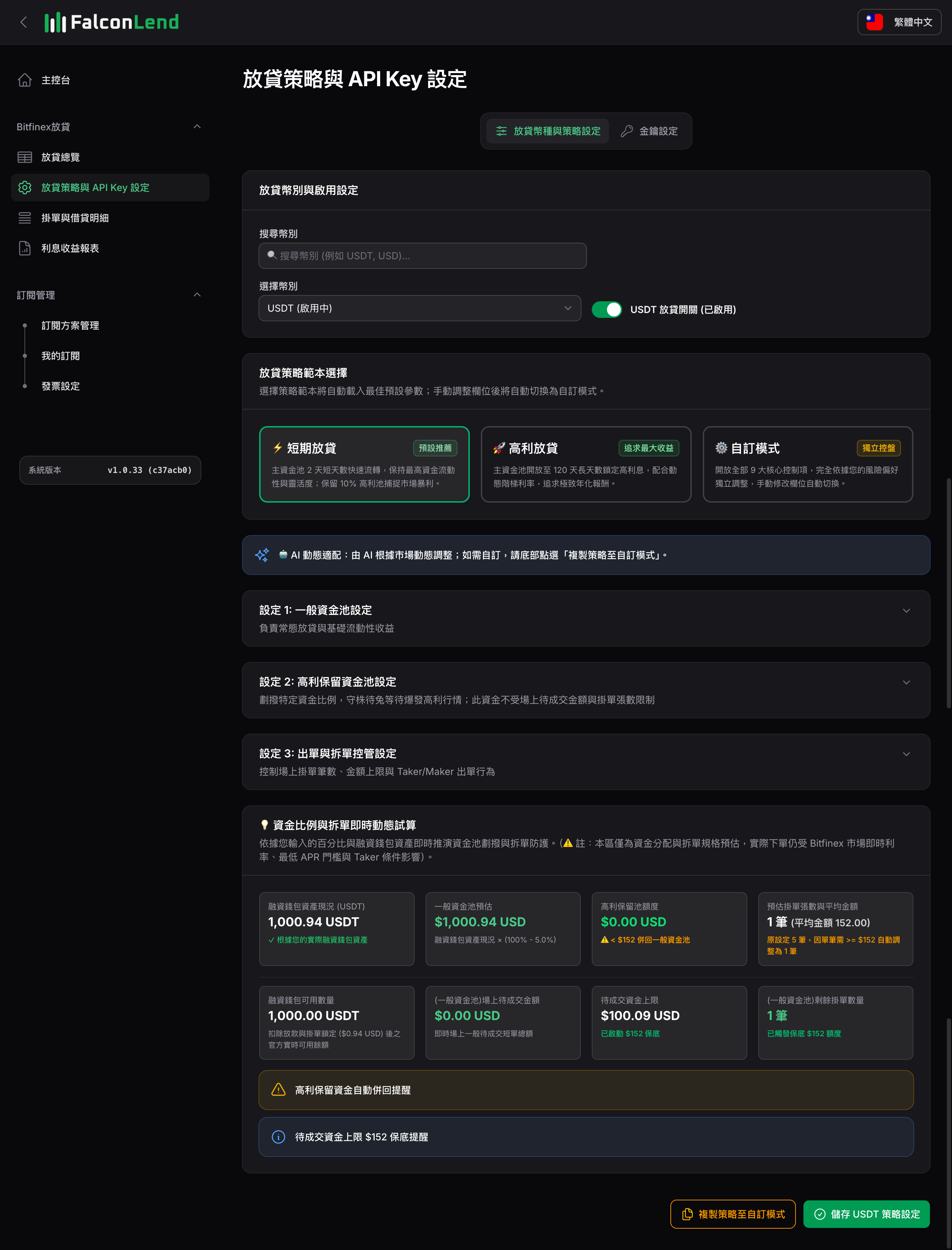
Strategy 1: Short-Term Liquidity
- Description: uses 2-day short offers as the main funds and reserves part of your funds to wait for high-rate, longer-term opportunities (up to 120 days), balancing capital turnover with high-yield opportunities.
- Pros: short offers lend out and return quickly, so funds can be redeployed often; reserved funds still have a chance to fill when a high-rate offer appears.
- Cons: the short main offers float with the market, so overall yield is lower when the market is weak; high-rate offers for the reserved funds appear rarely and may not fill.
- Best for: users who need flexible funds and don’t want to lock them up for long, and a good fit for beginners.
- How to enable:
- Select the asset
- Select the
Short-Term Liquiditystrategy preset - Turn on the
Automated Lendingswitch so it turns green - Click
Save USDT Strategy Settings(the button shows your selected asset)
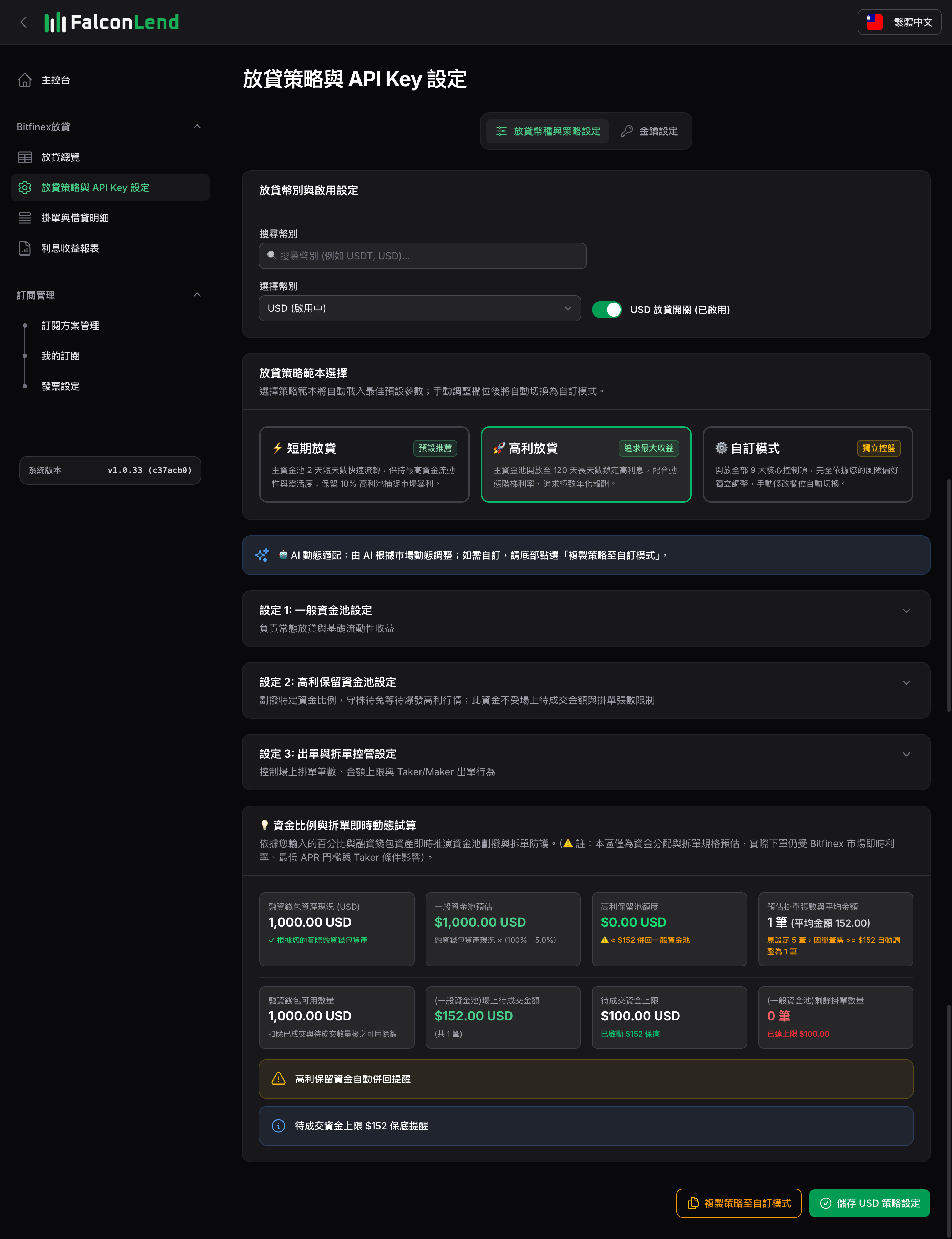
Strategy 2: High-Yield Lock
- Description: the main funds have no fixed term (2 to 120 days) and target only high-rate offers, capturing higher lending rates when they appear.
- Pros: once filled, funds lend at a higher rate; in a strong market, a single offer’s rate can exceed Short-Term Liquidity.
- Cons: you have to wait for offers that meet the high-rate conditions, so funds may sit idle longer; loans can run as long as 120 days and the funds can’t be used before maturity.
- Best for: users whose funds can sit untouched for a long time, who don’t need short-term access, and who can accept waiting for fills.
- How to enable:
- Select the asset
- Select the
High-Yield Lockstrategy preset - Turn on the
Automated Lendingswitch so it turns green - Click
Save USDT Strategy Settings(the button shows your selected asset)
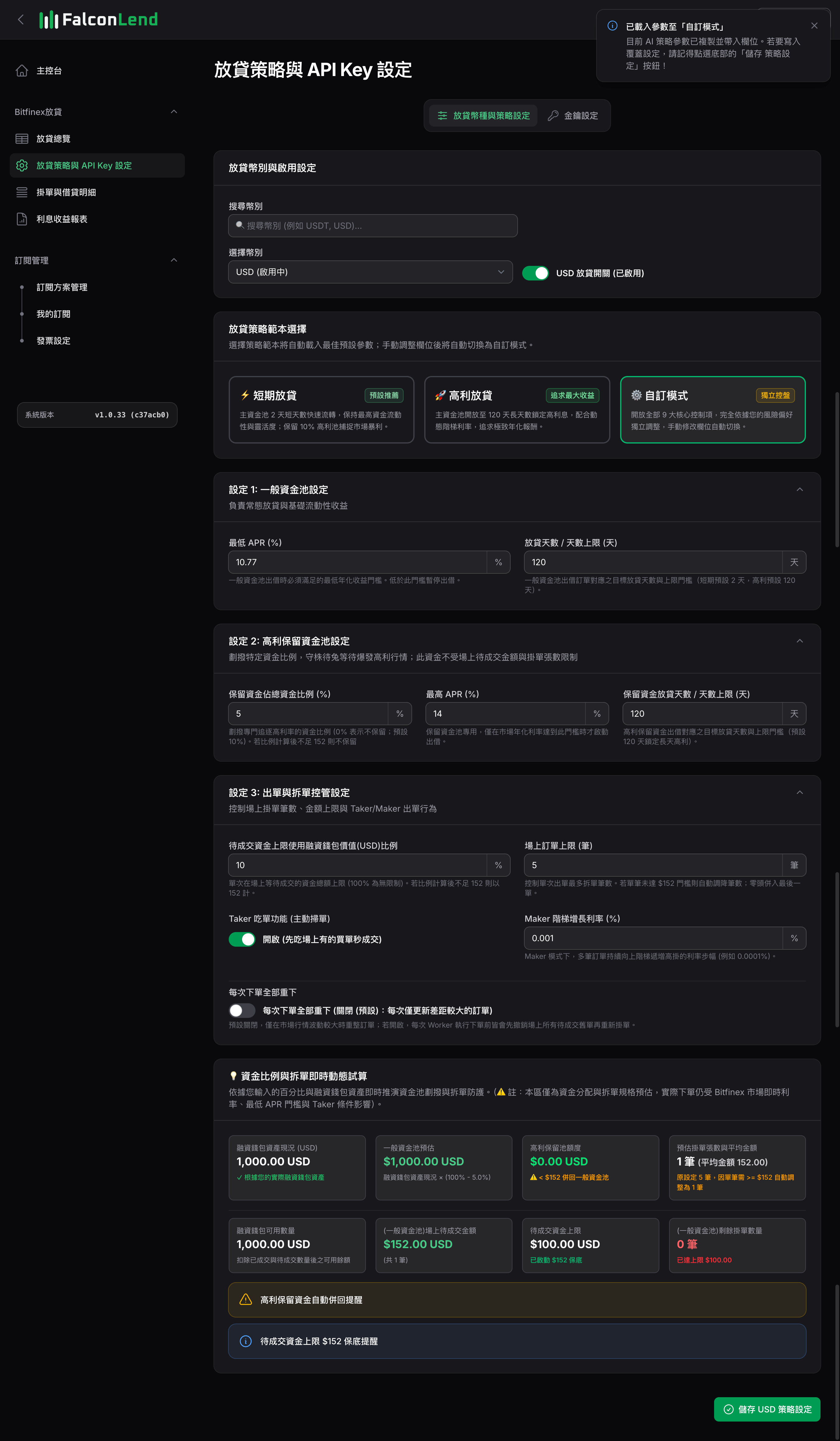
Strategy 3: Custom Strategy
- Description: all parameters are open for you to set, so you can build your own lending strategy based on your judgment, or copy the Short-Term Liquidity or High-Yield Lock strategy first and fine-tune it.
- Pros: you can adapt to market conditions and personal needs, with the most flexibility.
- Cons: you need to fully understand what each parameter does and how they interact; poor settings can leave funds idle or fill at lower rates than expected.
- Best for: advanced users who fully understand the parameters and want to set their own strategy.
- How to enable:
- Select the asset
- Select
Custom Strategydirectly and start configuring; or first selectShort-Term LiquidityorHigh-Yield Lock, clickCopy Strategy to Custom Strategyat the bottom to copy the parameters, then adjust them - Turn on the
Automated Lendingswitch so it turns green - Click
Save USDT Strategy Settings(the button shows your selected asset)
FAQ
- Funds are in your account and the strategy is on, but nothing is being lent? Check that your funds are in the Funding wallet: Bitfinex Wallets Explained
- Want to understand fills and earnings: Viewing Your Lending Performance
Related