
Bitfinex Wallets Explained: Exchange, Margin & Funding
Contents
Bitfinex has three wallets: the Exchange Wallet (spot trading), the Margin Wallet (leveraged trading) and the Funding Wallet (lending). Funds in each wallet are separate, and only funds in the Funding Wallet can be lent out. FalconLend’s bot automatically keeps your funds lent out following the strategy and parameters you choose, so if your Funding Wallet is empty, follow the steps below to make a Bitfinex wallet transfer.
The Three Bitfinex Wallets
Each wallet serves a different purpose, and funds in one do not affect the others. To start lending, you move funds out of the Exchange Wallet (or another wallet) and into the Funding Wallet:
- Exchange Wallet (Spot): Used for spot trading. For example, to swap USDT for USD or USD for USDT, the funds must be in this wallet.
- Margin Wallet (Derivatives): Used to open leveraged long/short positions, or to borrow extra funds against collateral to enlarge a position.
- Funding Wallet: Lends your idle funds to leveraged traders in exchange for interest over a fixed term. Funds for auto-lending must be in this wallet.
Transferring Funds Between Bitfinex Wallets
-
If your funds are not in the
Funding Wallet, follow the steps below to transfer them.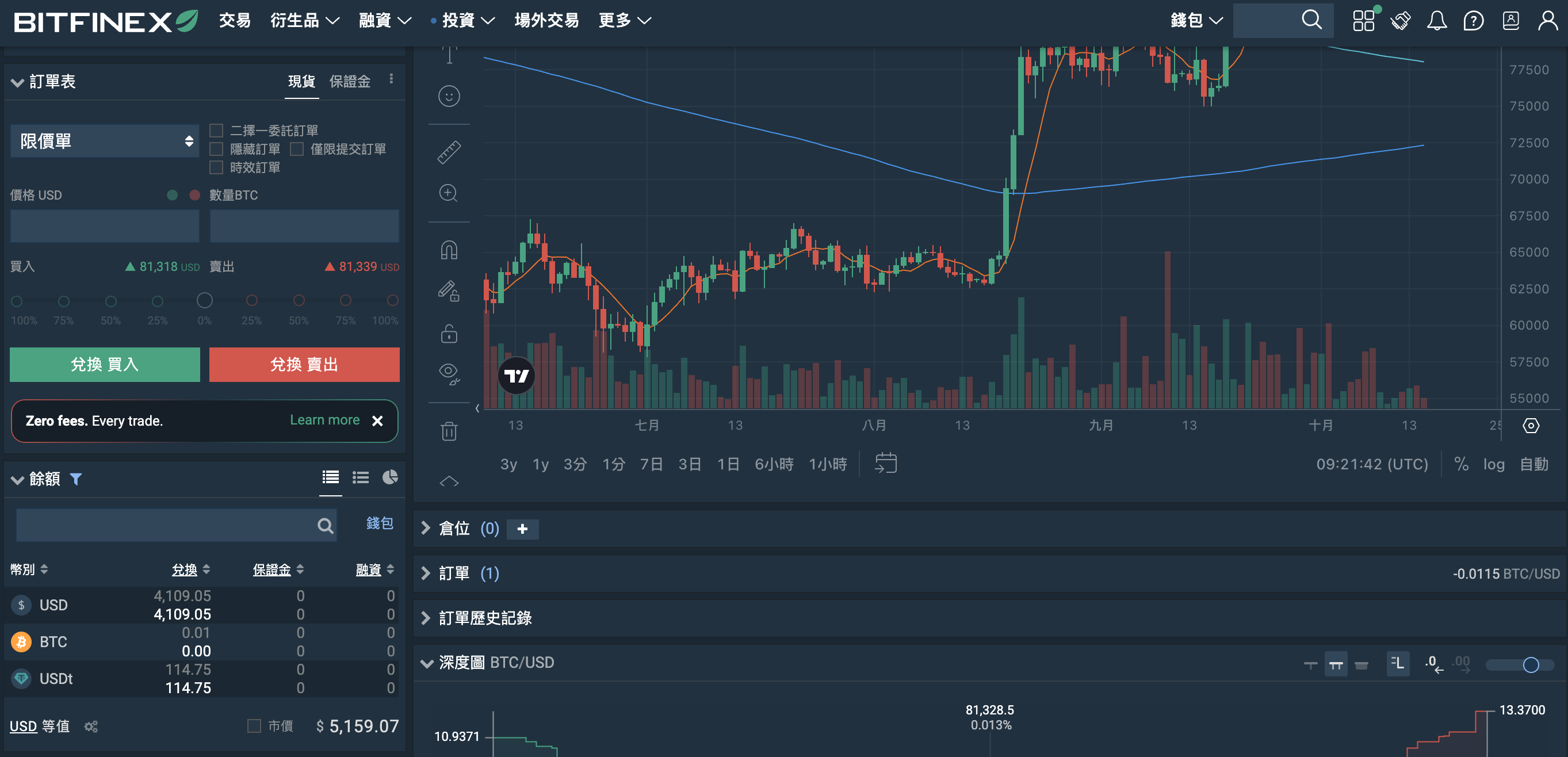
-
In the bottom-right corner, click a wallet that shows a balance. Four buttons will appear. Click
Transfer.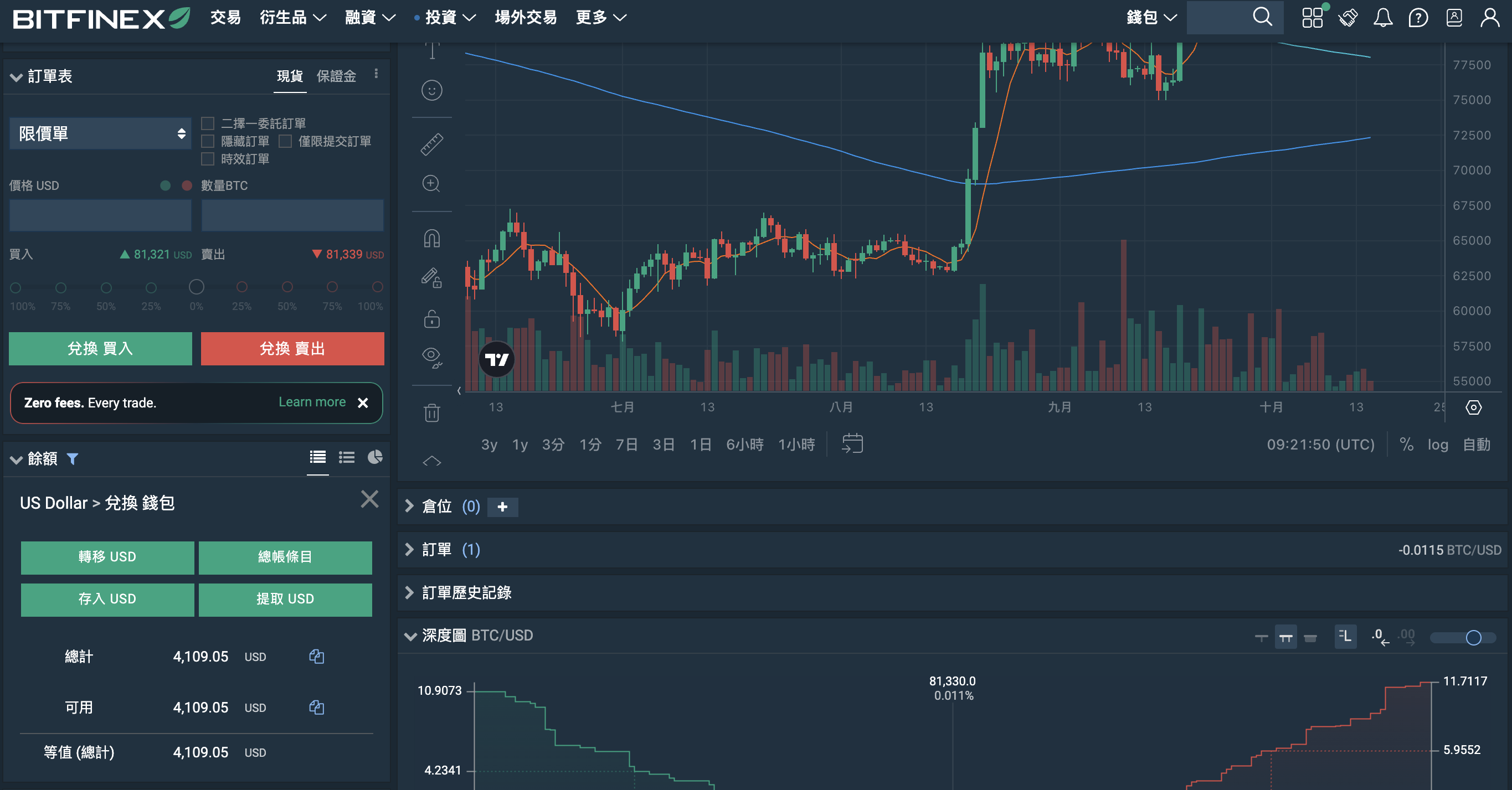
-
After you click
Transfer, four fund pools appear. First click thesource wallet balance, then click thedestination wallet balance(the Funding Wallet).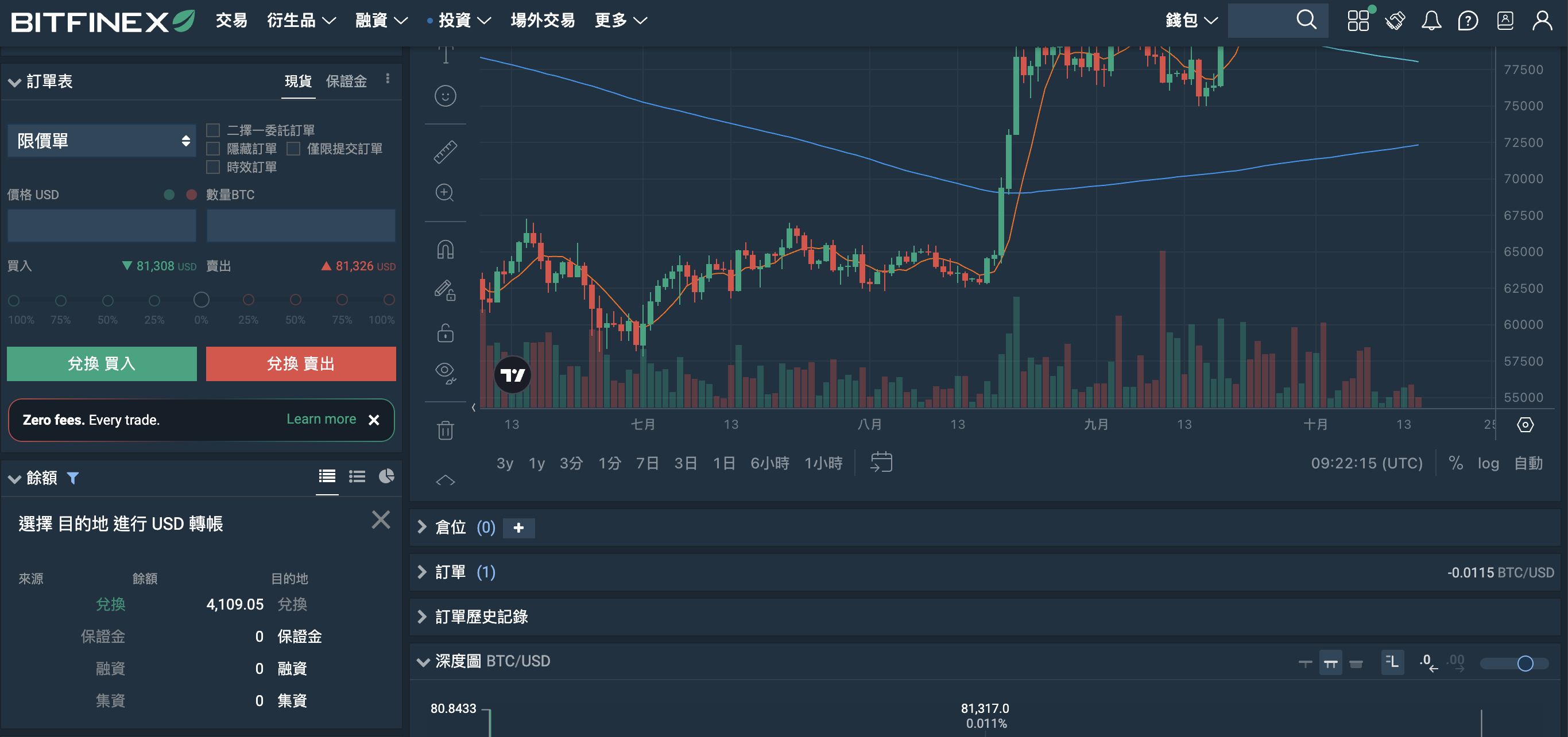
-
Enter the amount you want to transfer, then click
Transferto complete the wallet transfer.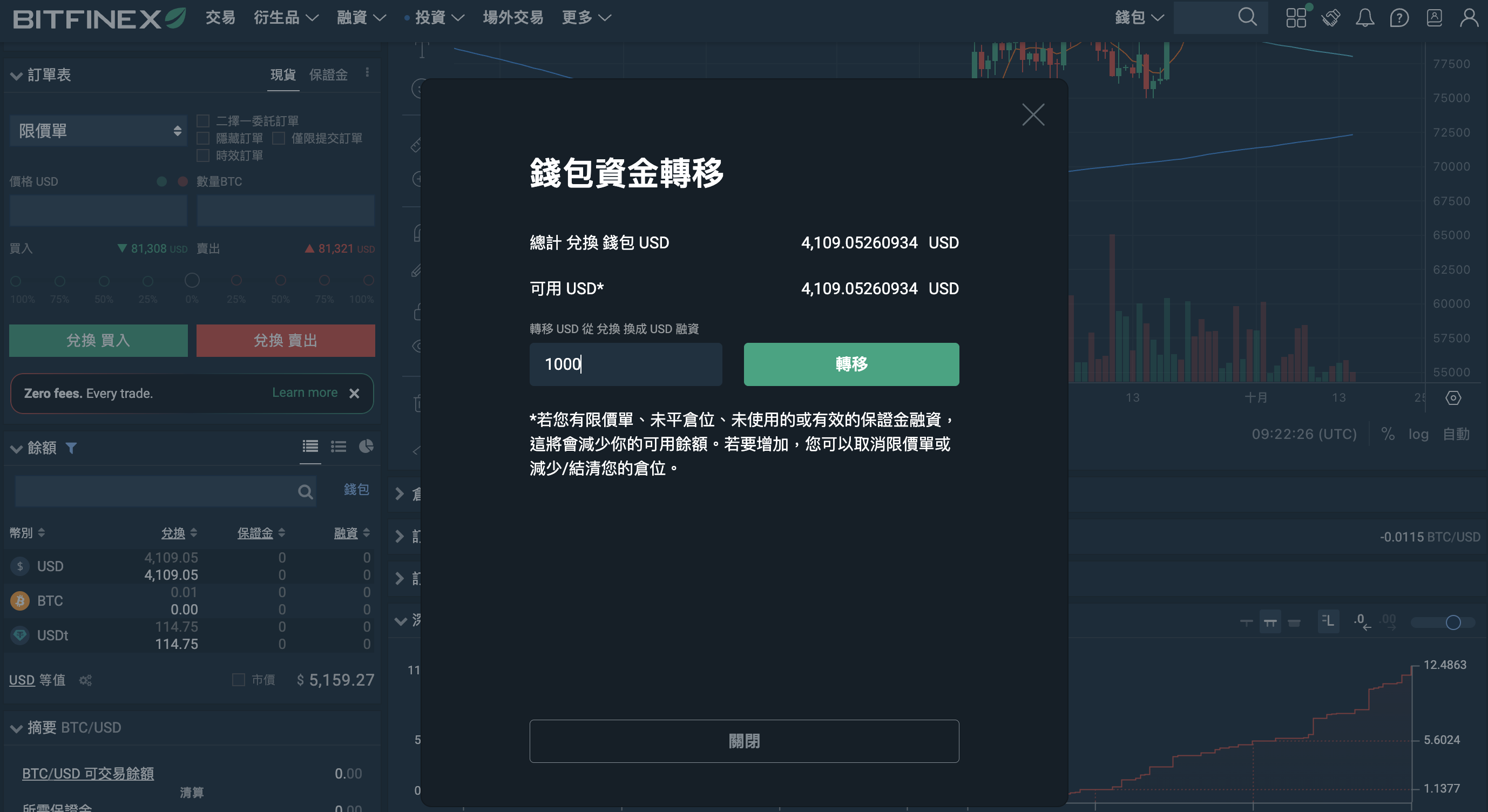
Once the transfer is done, continue with Bitfinex Setup and Creating an API Key, then start auto-lending.