# Bitfinex Setup and Creating an API Key
> Walk through Bitfinex registration, KYC, two-factor authentication and deposits, then create a dedicated Bitfinex API key for FalconLend with only the necessary permissions and no withdrawal access.
- URL: https://falconlend.ai/en/faq/bitfinex-settings/
- Updated: 2026-10-23
**Contents**
* [1. Deposit Funds into Your Bitfinex Account](#1-deposit-funds-into-your-bitfinex-account)
* [2. Create a Dedicated Key for the Platform](#2-create-a-dedicated-key-for-the-platform)
* [Step 1: Create a New API Key](#step-1-create-a-new-api-key)
* [Step 2: Set Read Permissions](#step-2-set-read-permissions)
* [Step 3: Edit Permissions](#step-3-edit-permissions)
* [Step 4: Get the API Key and Secret](#step-4-get-the-api-key-and-secret)
* [References](#references)
---
## 1. Deposit Funds into Your Bitfinex Account
> Follow Bitfinex's on-screen guidance to complete the items below so everything works later
* [x] Register a Bitfinex account
* [x] KYC: complete at least Intermediate verification to get full crypto trading and transfer access; to use international bank wire (SWIFT), you must verify to the highest level (Advanced)
* Basic requires: a government-issued photo ID, a selfie, a phone number and your residential address
* Intermediate requires: everything in Basic, plus a second government-issued photo ID, proof of residence, a financial questionnaire and a KYC declaration
* Advanced requires: everything in Intermediate, plus a bank statement
* [x] Two-factor authentication: we recommend `Twilio Authy Authenticator`, which makes it easy to switch phones later (you can link a phone number or email, but be sure to remember your **password**)
* Authy (Android): Google Play
* Authy (iOS): App Store
* [x] Deposit: transfer USDT to the platform over a blockchain (Ethereum, Tron), or use international bank wire (SWIFT)
## 2. Create a Dedicated Key for the Platform
### New Interface (after 2026-10-14)
#### Step 1: Create a New API Key
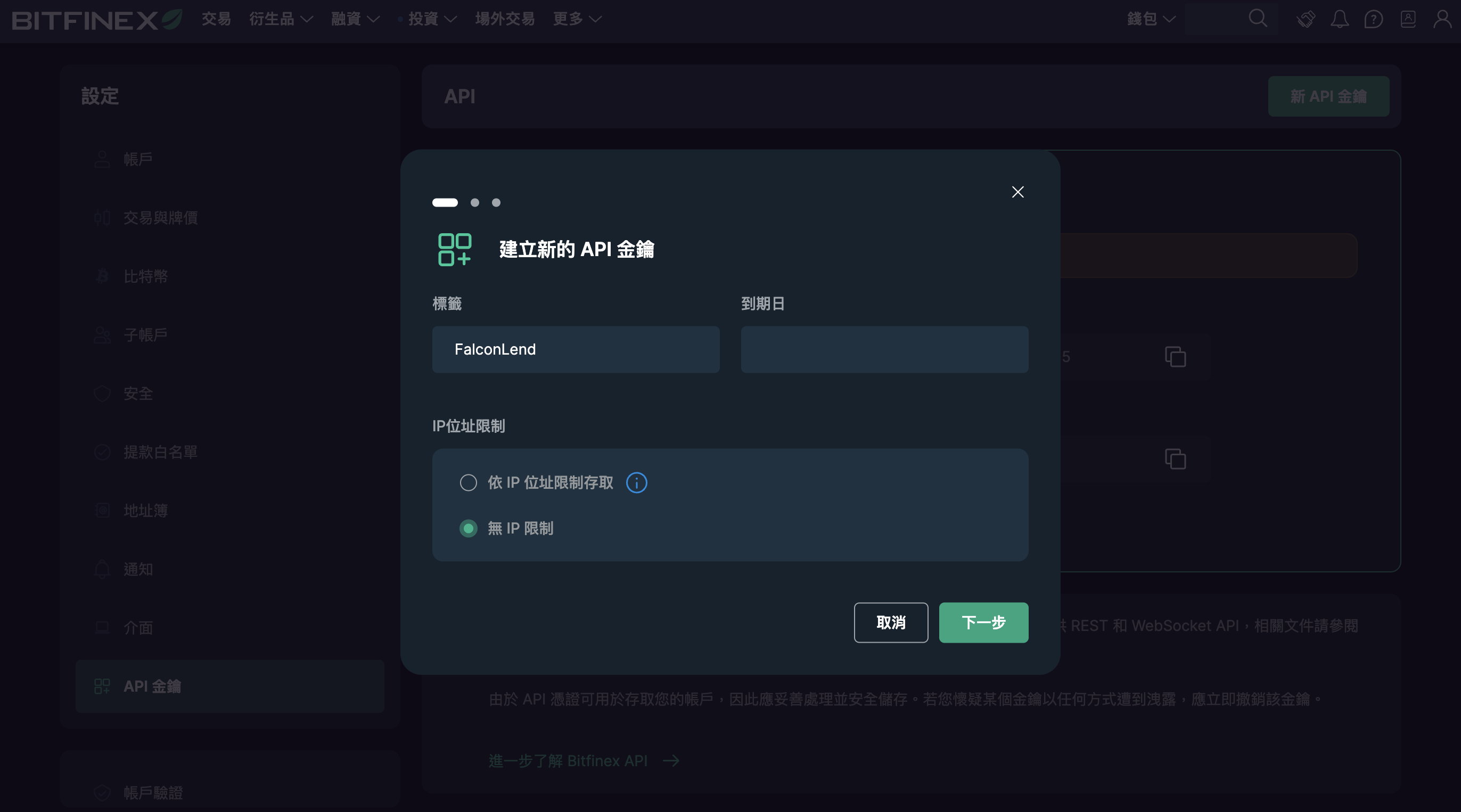
* Click the icon at the top right of Bitfinex > API Keys > New API Key
* Label: `FalconLend`
* IP address restriction: no IP restriction
#### Step 2: Set Read Permissions
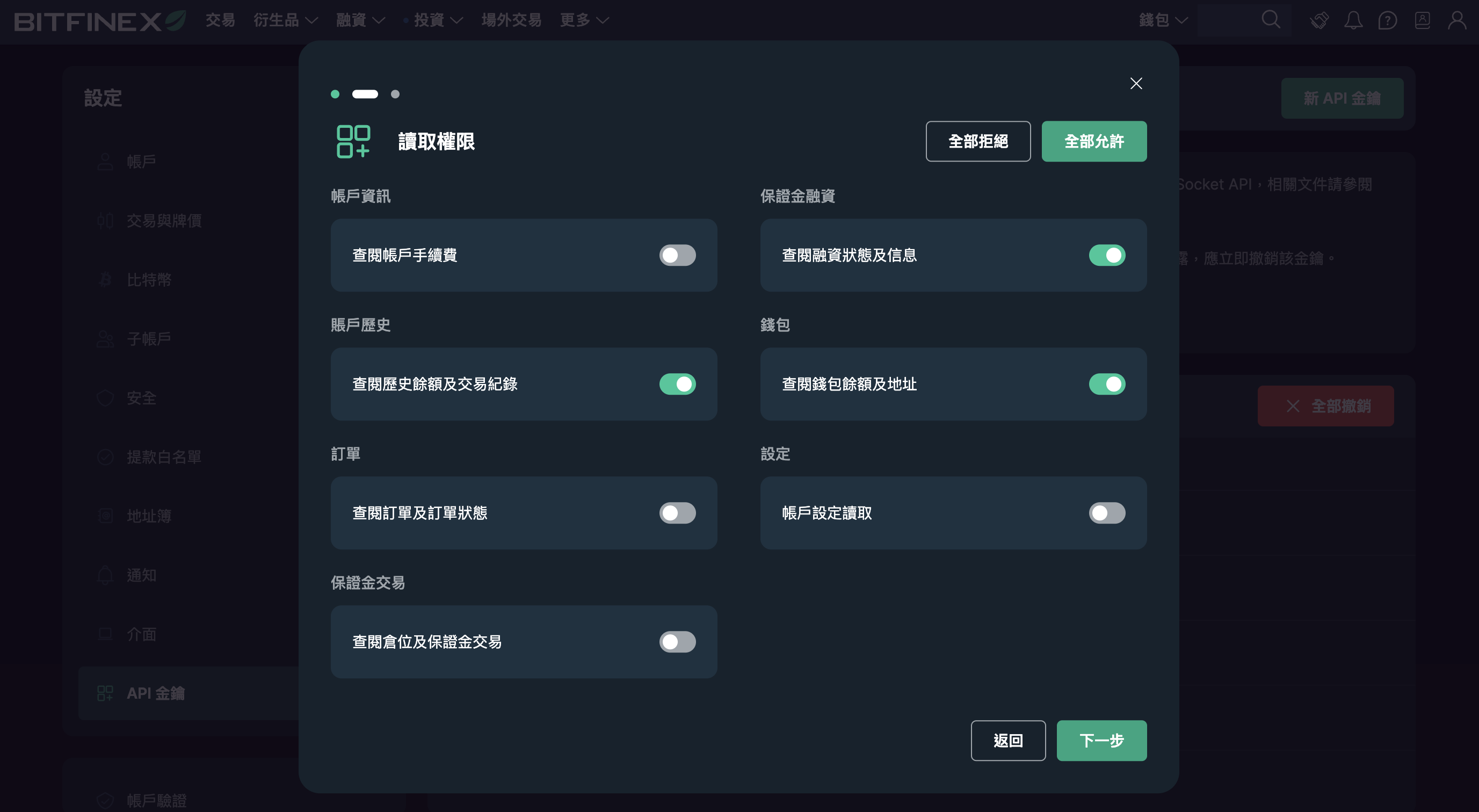
* [x] Get funding statuses and info
* [x] Get historical balances and trade info
* [x] Get wallet balances and addresses
#### Step 3: Edit Permissions
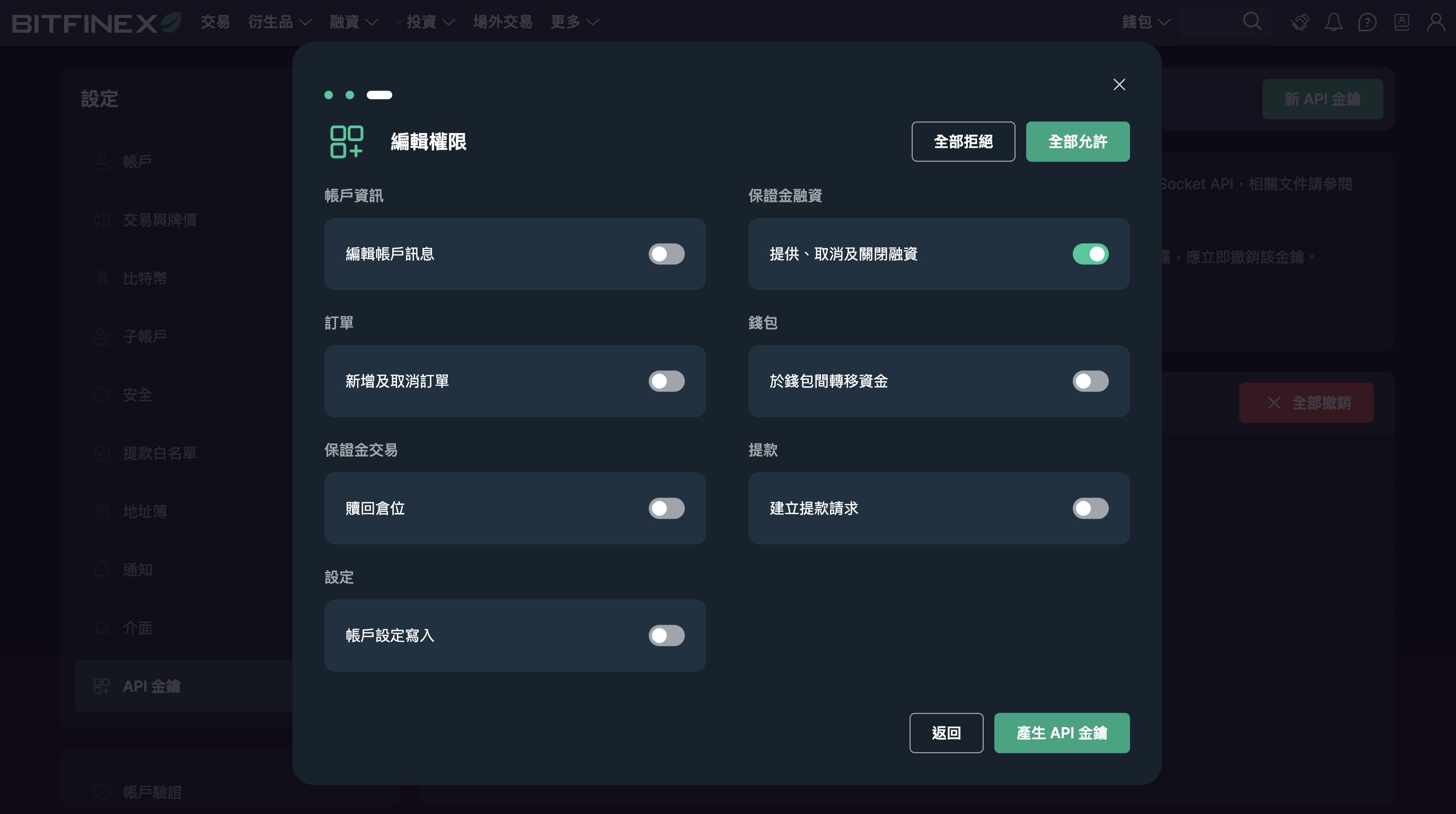
* [x] Margin Funding: offer, cancel and close funding
* After creating the key, go to your email and click the **Create API Key** button in the message
#### Step 4: Get the API Key and Secret
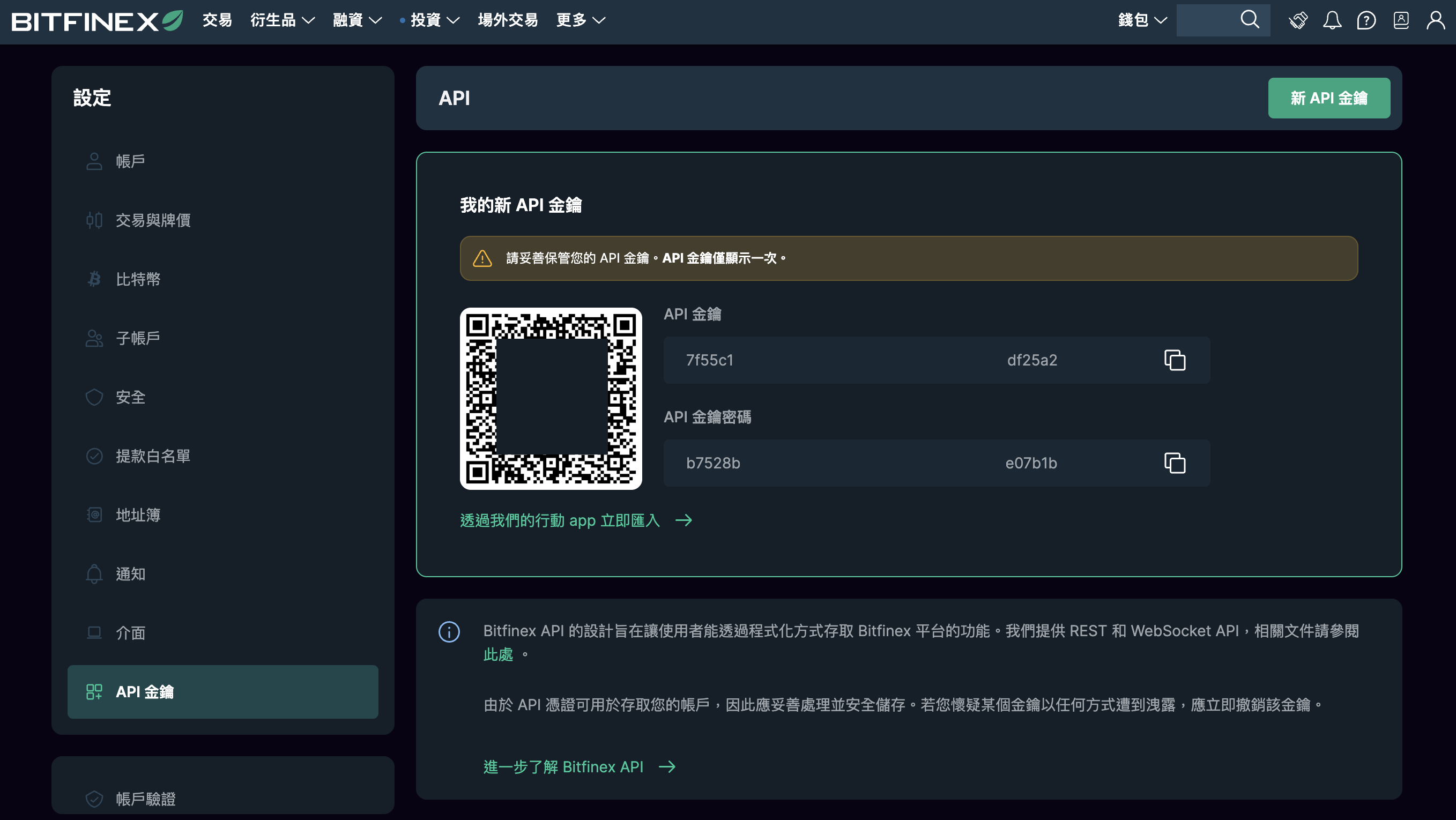
* `API Key` and `API Secret`
* Each is 43 characters (lowercase letters and digits)
* Record them safely, then enter them in FalconLend
* The key is shown only once and disappears when you close the window; if you lose it, delete the old key and create a new one
* When done, continue to [Set Up FalconLend Auto-Lending](https://falconlend.ai/en/faq/start-auto-lending.md)
## References
* [Bitfinex - Verification levels](https://support.bitfinex.com/hc/en-us/articles/360017321633)
---
## Risk Disclosure
1. **Rate volatility**: Funding rates float with market supply and demand; there is no fixed or guaranteed return. You can set a "minimum lending rate," but setting it too high may leave funds idle and unlent, lowering your effective APR.
2. **Exchange / platform risk**: Your funds are held at a third-party exchange (e.g., Bitfinex). Insolvency, hacks, frozen withdrawals, or regulatory changes could cause loss or make funds unrecoverable — outside this platform’s control.
3. **Crypto price volatility**: If collateral value drops sharply, default losses can still occur under extreme conditions.
4. **Liquidity risk**: In quiet markets, funds may not be lent out or may not be redeemable immediately.
5. **Smart contract / technical risk**: System errors, downtime, and operational mistakes can occur.
6. **Regulatory risk**: Crypto regulation in Taiwan and the US continues to evolve and may affect the service or your taxes.
7. **Tax responsibility**: Reporting lending income is your own responsibility.
8. **Platform service risk**: The platform only helps execute lending; if the service is interrupted, you must manage your positions yourself.
**Important:**
This site is for informational purposes only and is **not investment or financial advice**. Lending **does not guarantee principal or returns**; it is not a deposit and is not insured, and past performance does not indicate future results.
Please read Bitfinex’s public disclosures and assess the risks yourself before lending, or consult a professional.
We make a good-faith effort to keep information up to date, but markets change quickly; if anything differs from a third-party platform’s announcements, the third-party platform prevails.
FalconLend’s official social accounts are for sharing information only. We will never message you first, or ask for your API keys, passwords, or any transfer. Beware of impersonators.
Full page: https://falconlend.ai/en/risk/